For iPhone, iPad and Mac
Today,at a glance.
DotLog is the todo app for the modern minimalist. Add todos quickly, then mark them done or migrate them to another day. Anything you don't get to migrates automatically, so you'll never forget it.
For iPhone and iPad with iOS 26, and Mac with macOS 26.
Today
Monday, October 12
The key
Notation simplified
Learn these six marks to recognize what needs doing, what's happening and what's on your mind.
- Task
- Something to do. Tap the dot to finish it.
- Done
- Finished, and crossed out where you can still see it.
- Migrated
- Moved to another day, with the original kept as a record.
- Scheduled
- Set aside for a future date, waiting until it arrives.
- Event
- Something that happened, or is happening. Nothing to tick off.
- Note
- A thought worth keeping, with no action attached.
Features
Quick to write in. Calm to look at.
Everything a daily log needs, and nothing that turns it into a project.
Add anything fast
Type a line and press Return. Add “friday at 3pm” and DotLog sets the day and time. Hold + to pick an event or a note.
Migrate on purpose
Unfinished tasks move forward to today, or wait for you to decide. Nothing slips by quietly.
Day, month and future
A daily log, a monthly log for goals, and a future log for everything after.
Things that repeat
Daily, weekdays, weekly, monthly or yearly. A fresh copy appears on the day, and only one is ever open.
Reminders
Give any item a time and DotLog will nudge you when it comes around.
Synced through iCloud
Your log follows you between iPhone, iPad and Mac, with no account to make.
Keyboard first on Mac
A panel that drops down from the menu bar. ⌃⌥⌘D opens it from any app, and every action has a shortcut.
Widgets
Today’s open tasks on your Home Screen and desktop. Tap one to check it off.
Search everything
Find any task, event or note across every day and month you have written.
Screens
Your day, your month, and everything after.
Swipe between days, plan the month, and park the rest in the future log.
iPhone
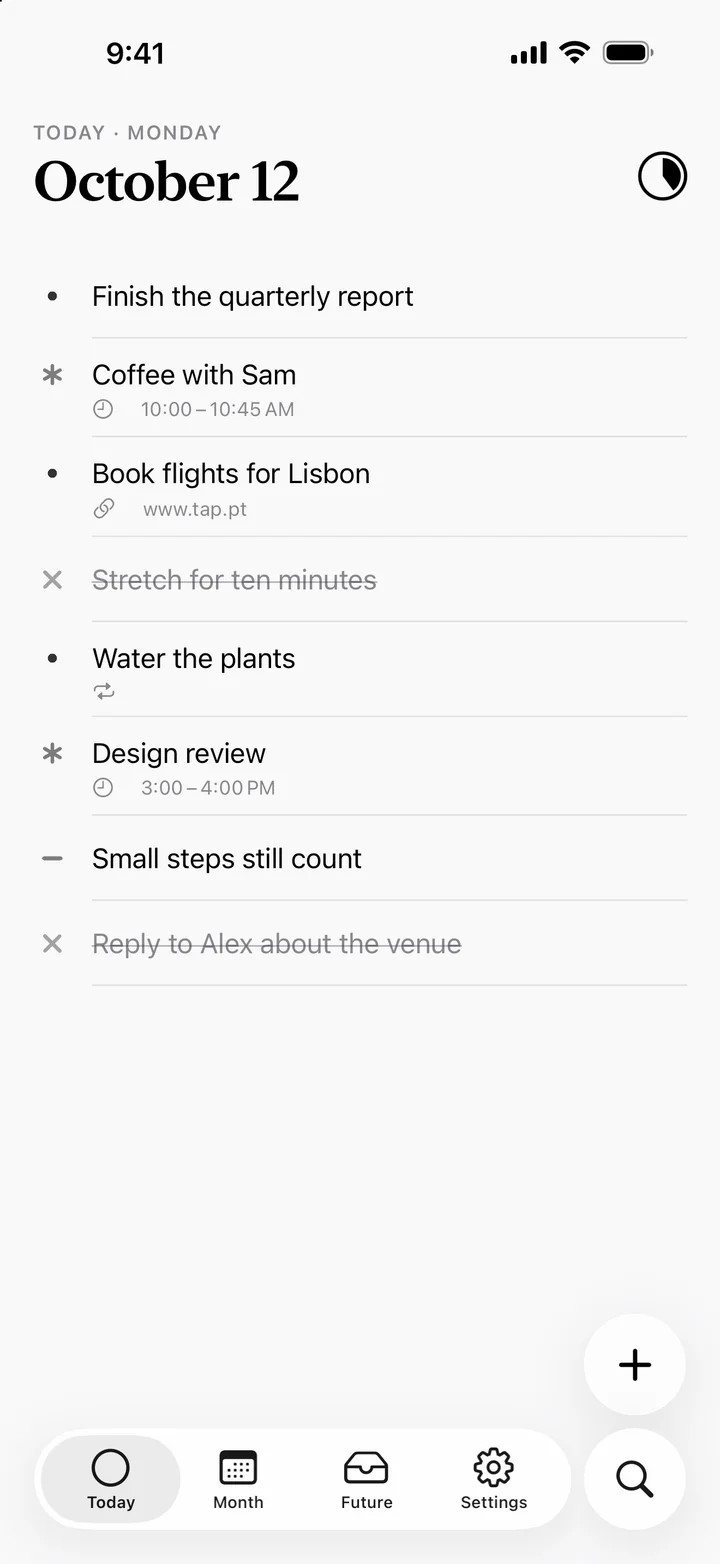
TodayOne line per entry, readable in two seconds. 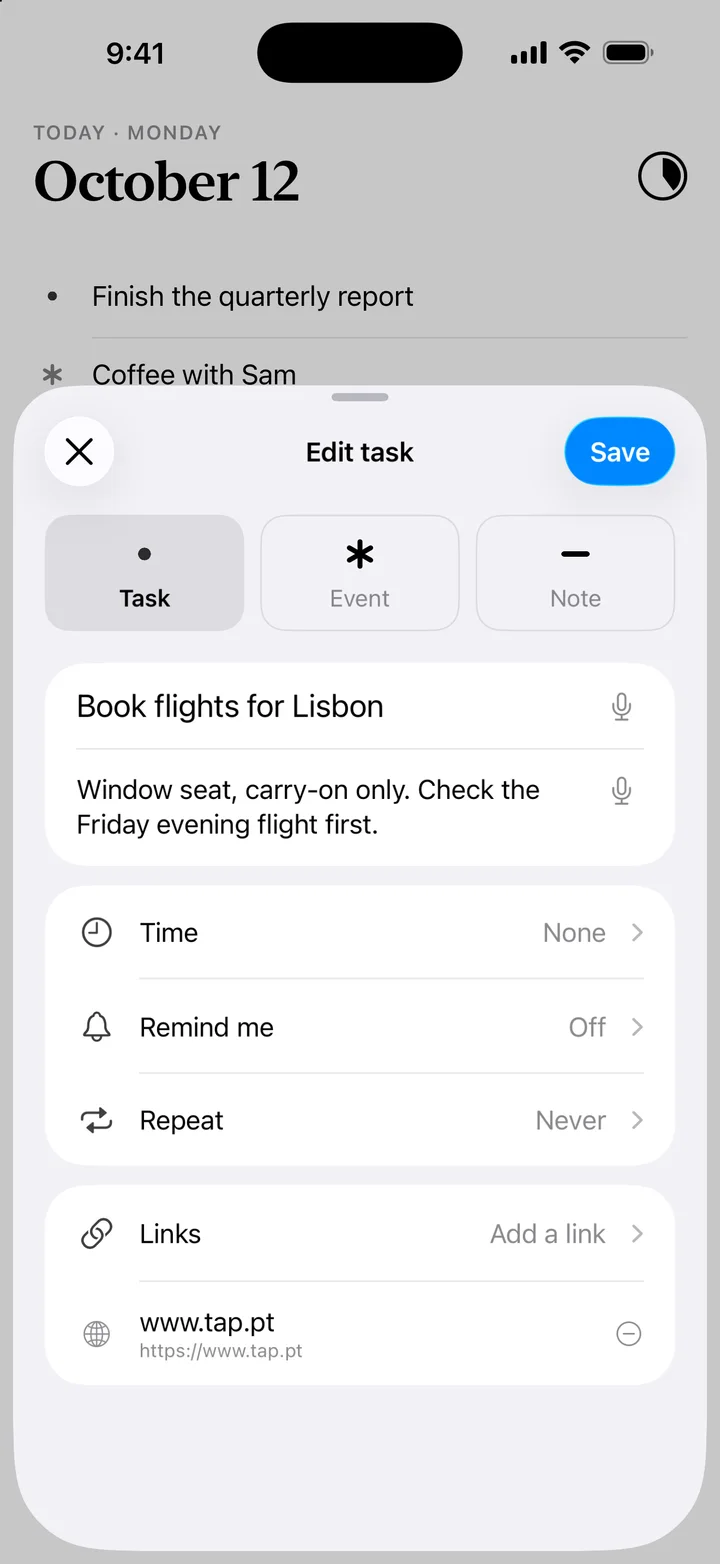
DetailsA card for a description, links, a time and a reminder, when you need them. 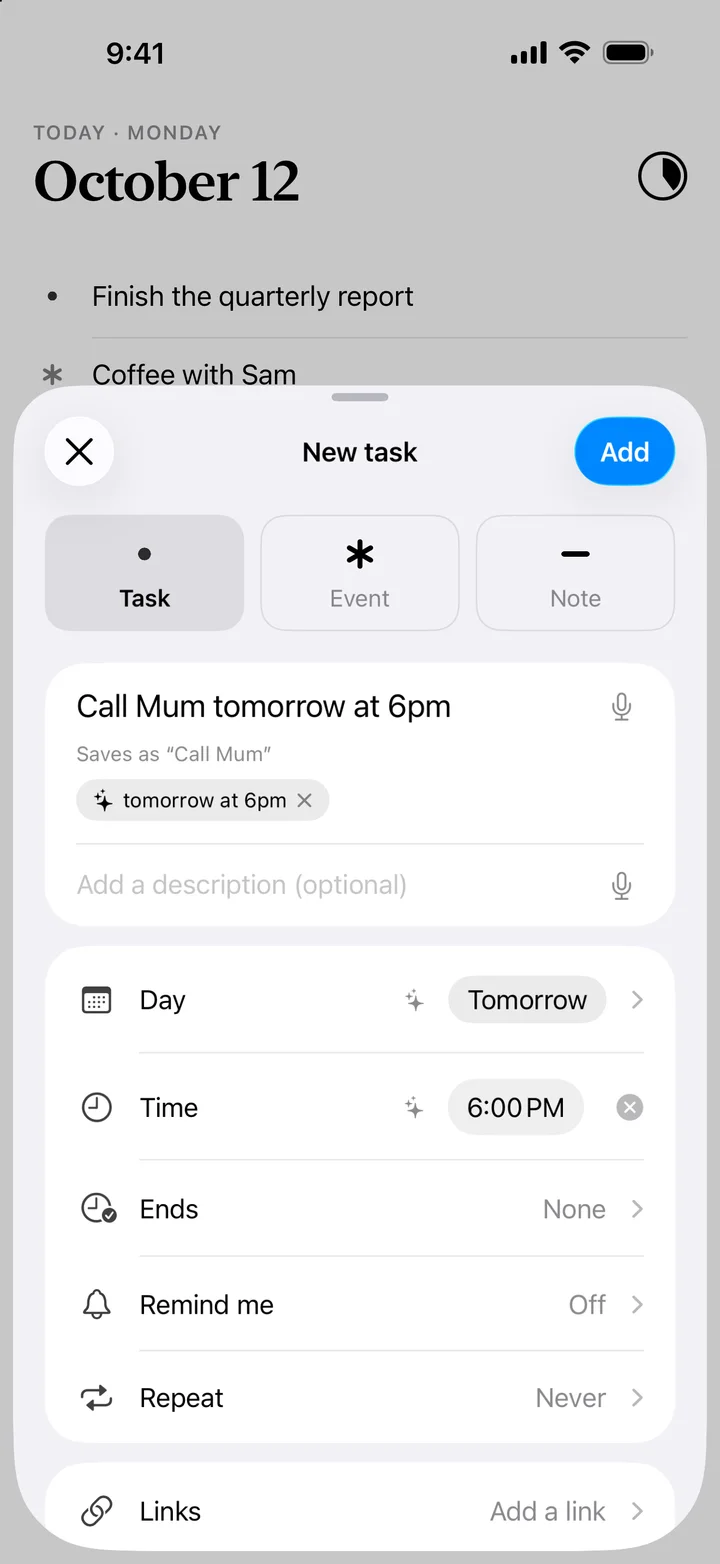
Just type itWrite “Call Mum tomorrow at 6pm” and DotLog sets the day and the time. 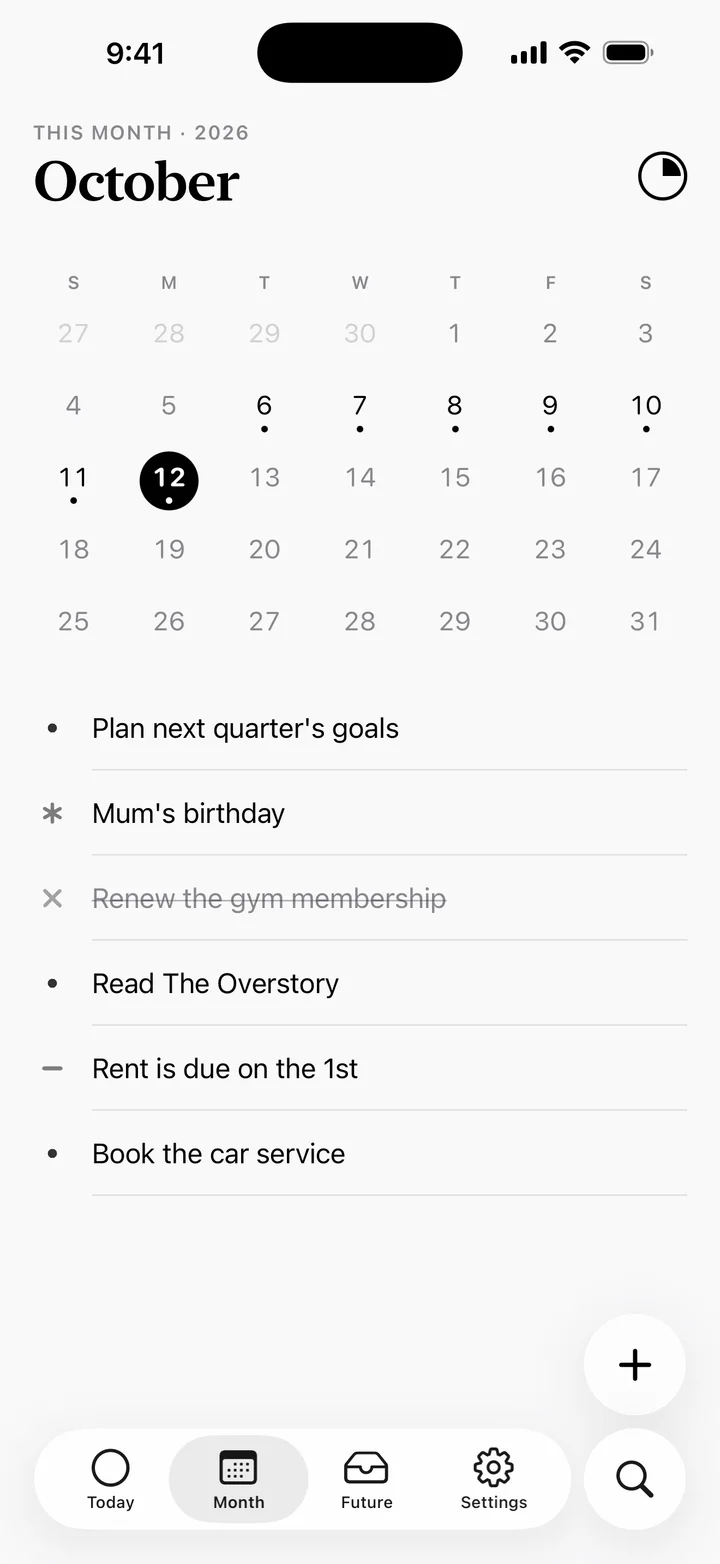
MonthGoals for the month, and a calendar of the days you wrote in. 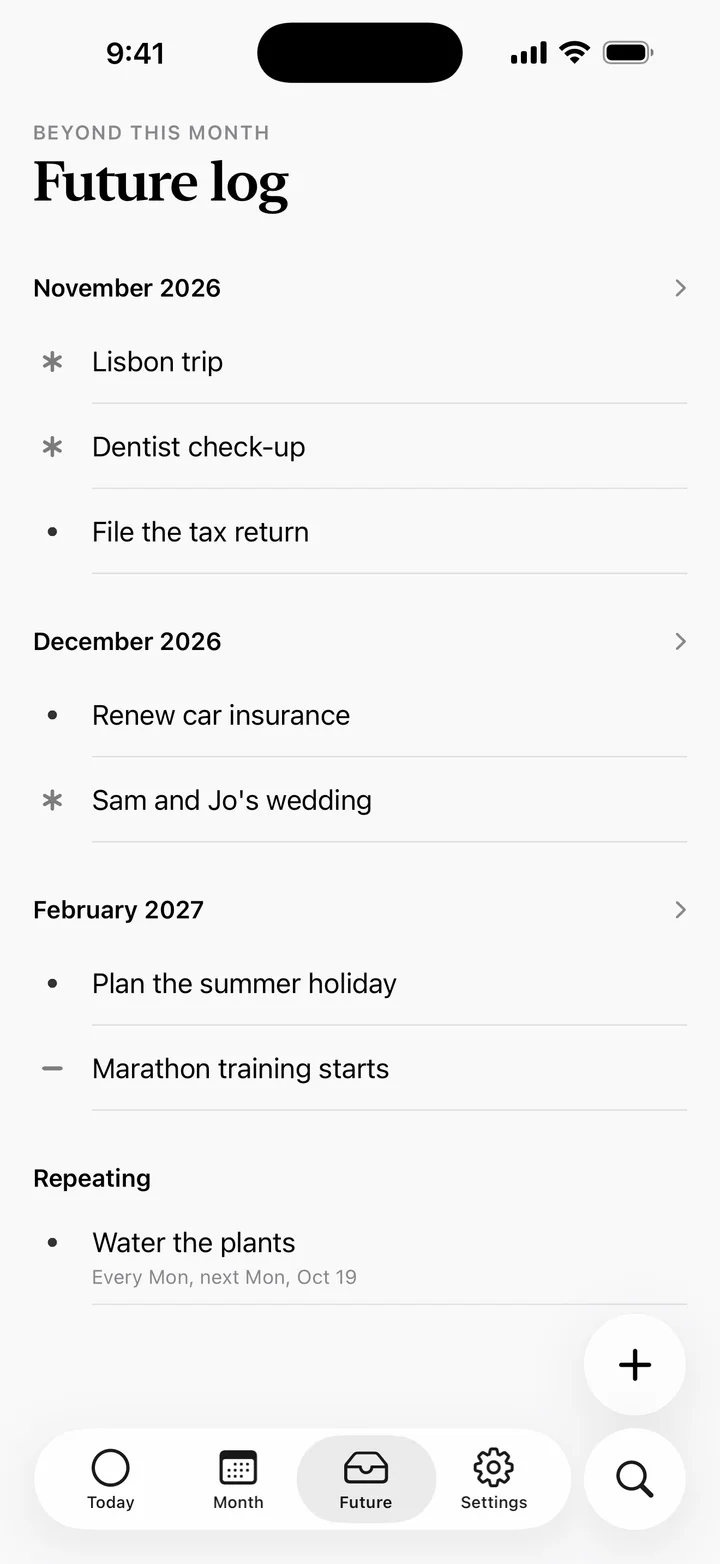
FuturePlans beyond this month, and everything that repeats. 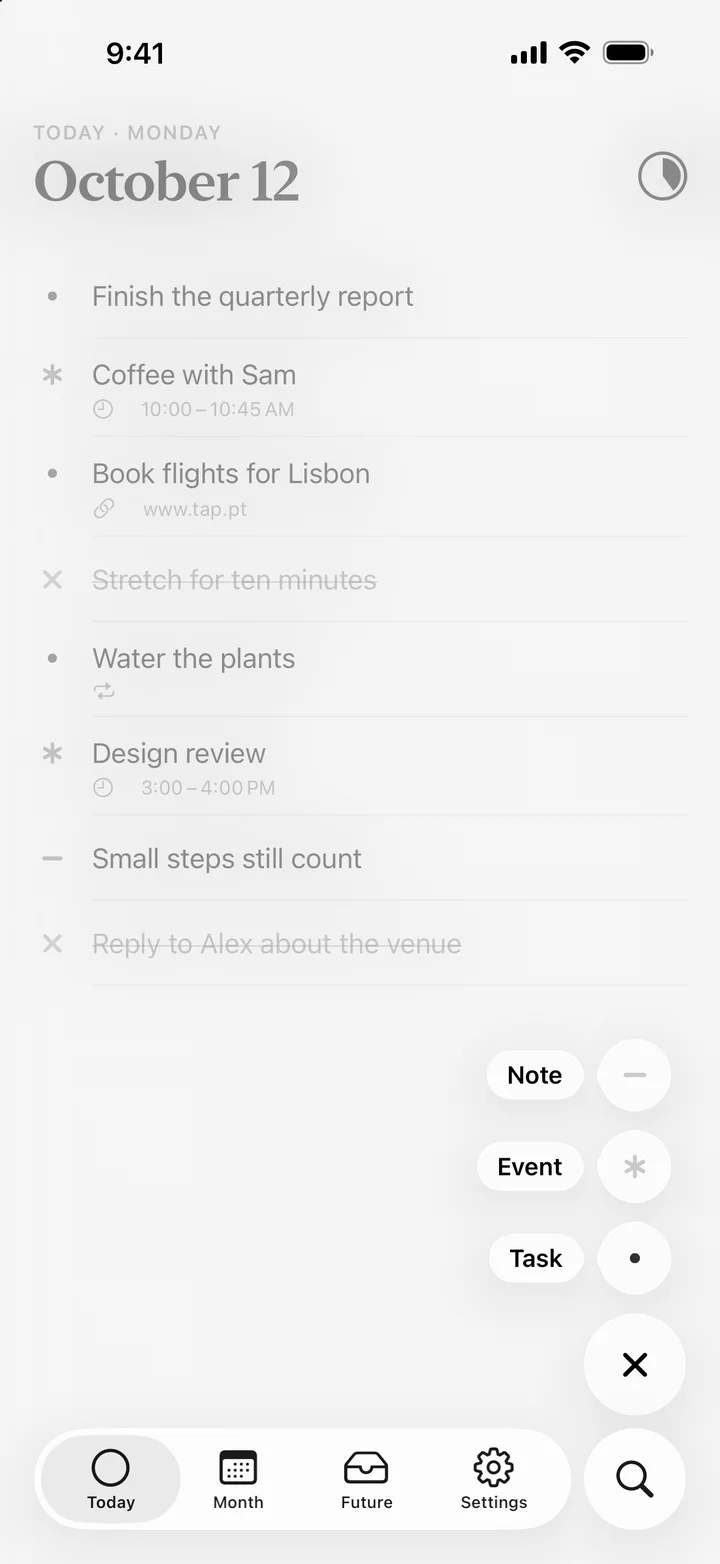
Task, event or notePress and hold + to choose a task, an event or a note.


iPad
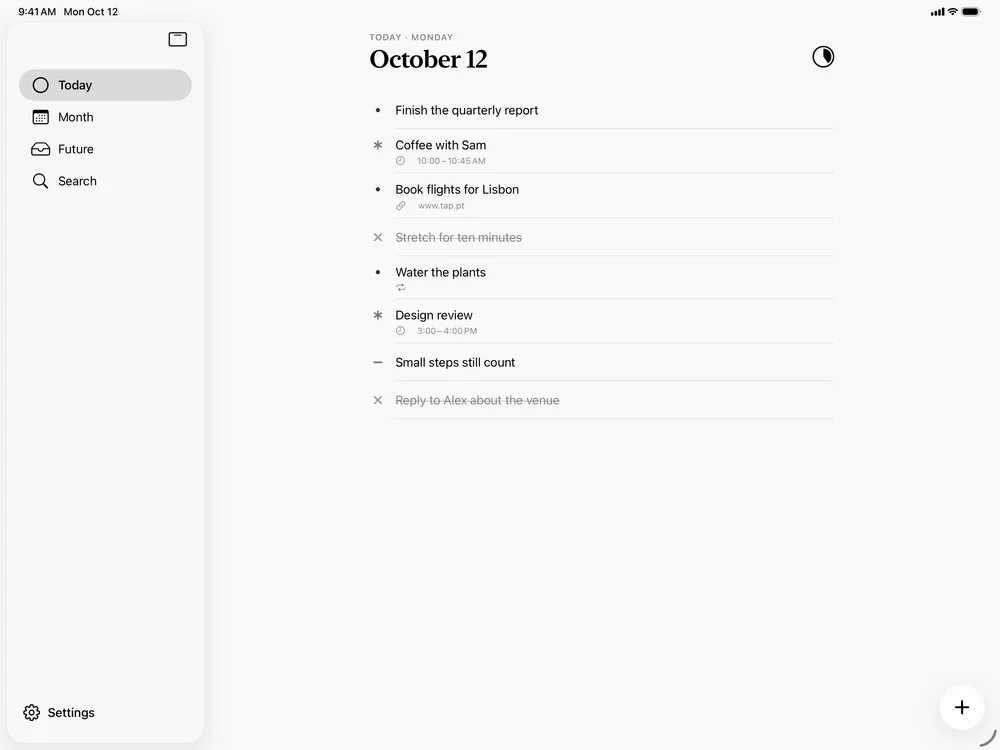
TodayOne line per entry, readable in two seconds. 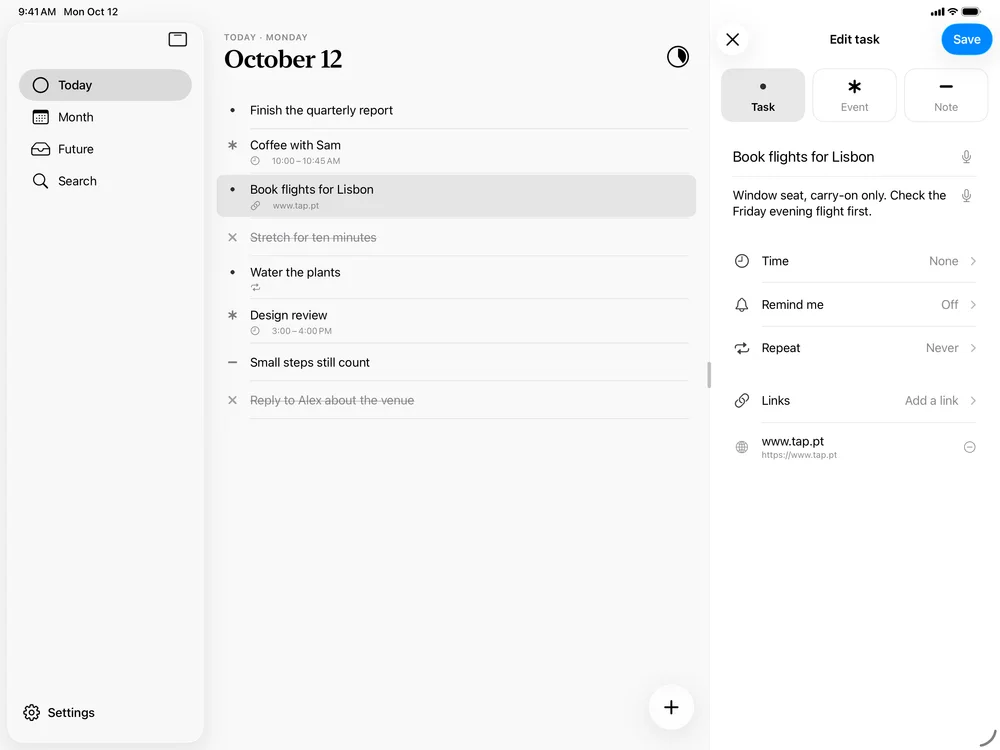
DetailsA side panel for a description, links, a time and a reminder, beside your log. 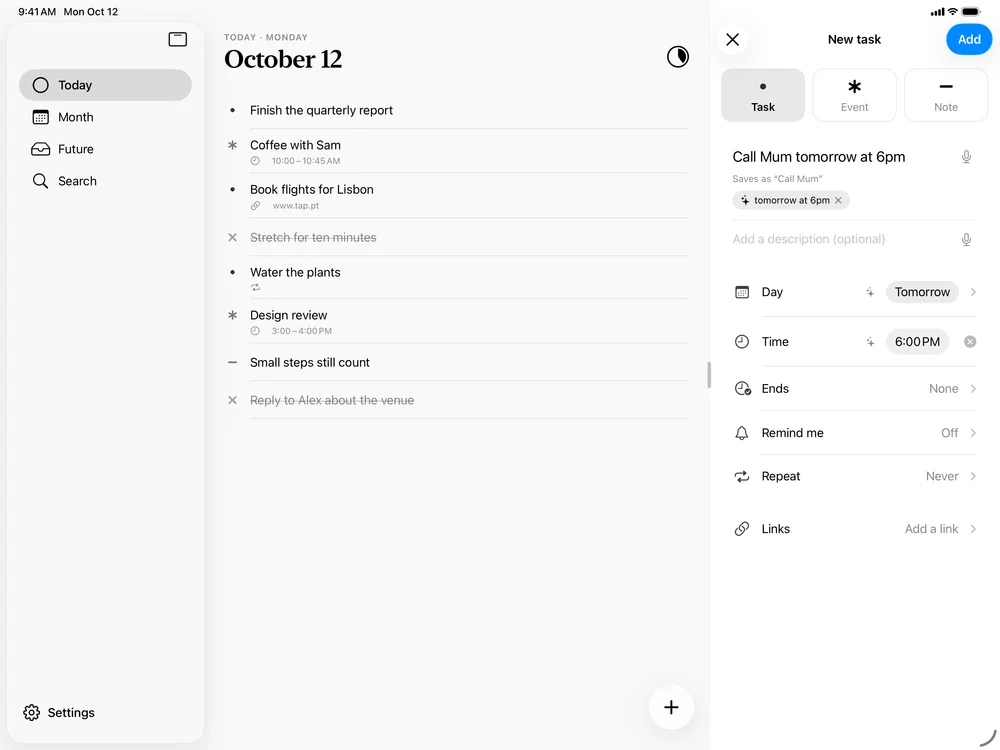
Just type itWrite “Call Mum tomorrow at 6pm” and DotLog sets the day and the time. 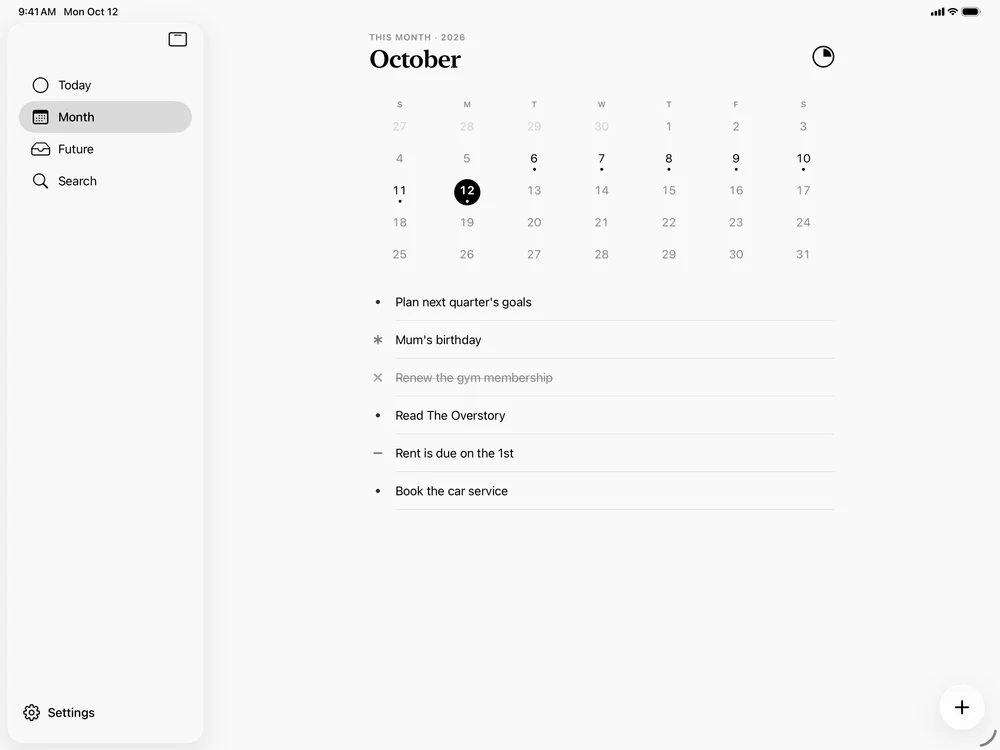
MonthGoals for the month, and a calendar of the days you wrote in. 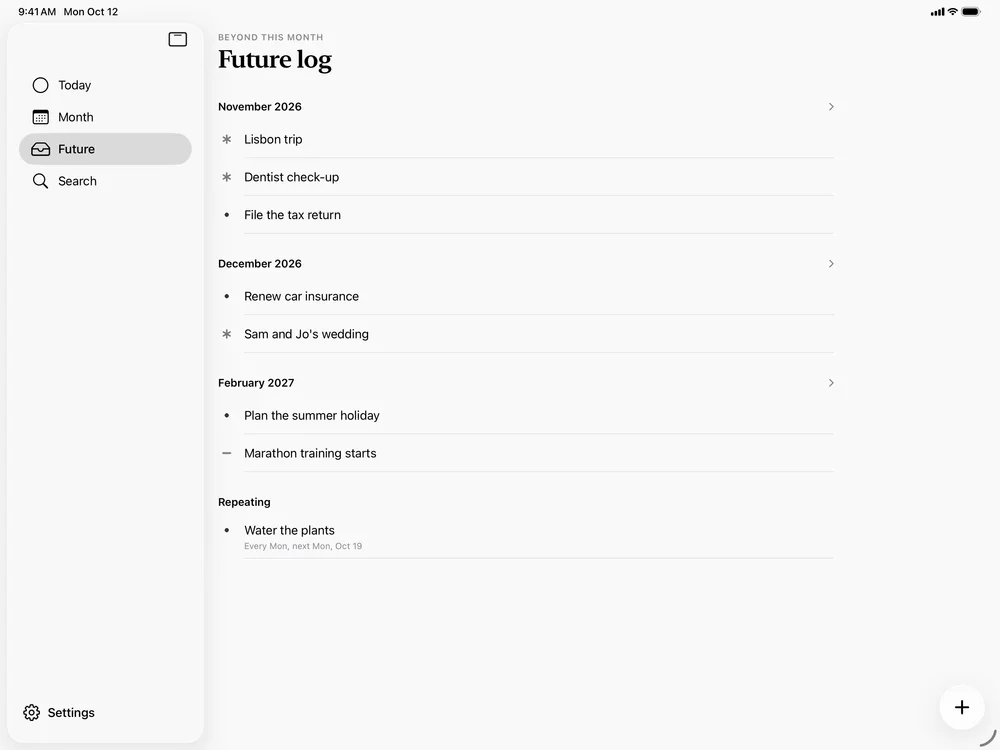
FuturePlans beyond this month, and everything that repeats. 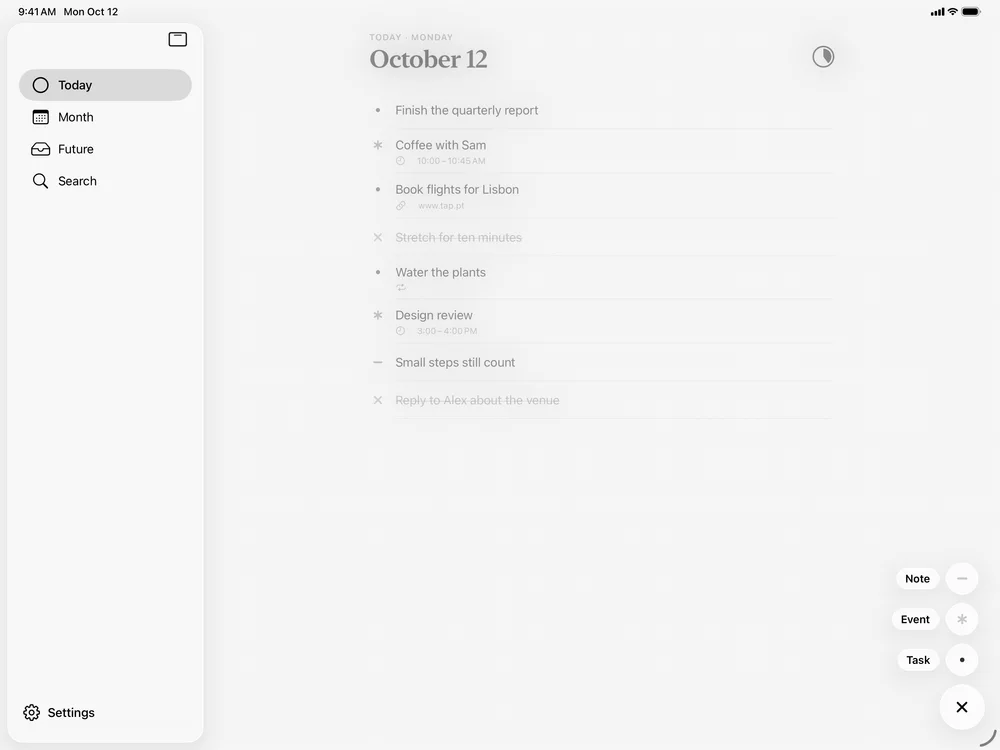
Task, event or notePress and hold + to choose a task, an event or a note.


Mac
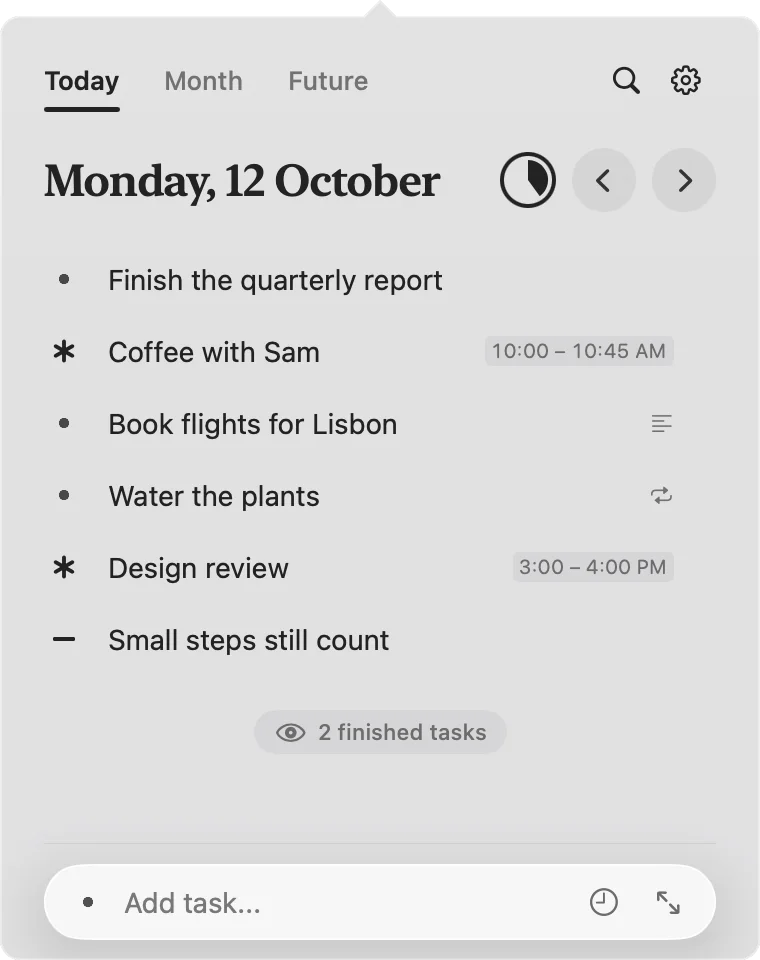
In the menu barClick the dot, or press ⌃⌥⌘D in any app, and today opens over your work. 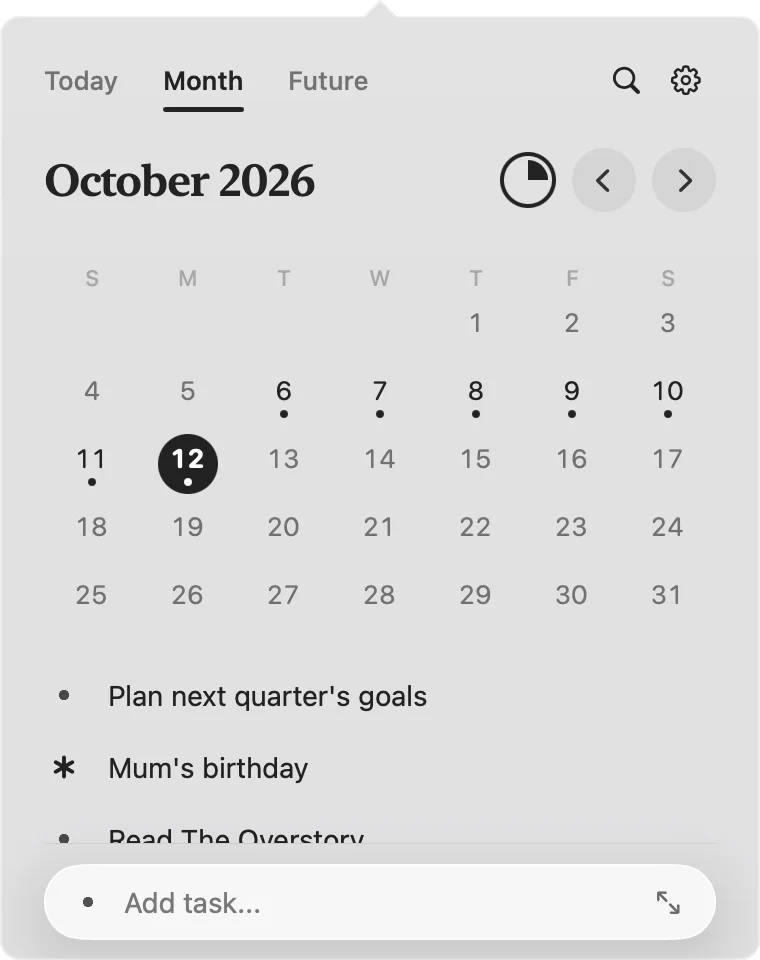
MonthThe whole month at a glance, without leaving what you are doing. 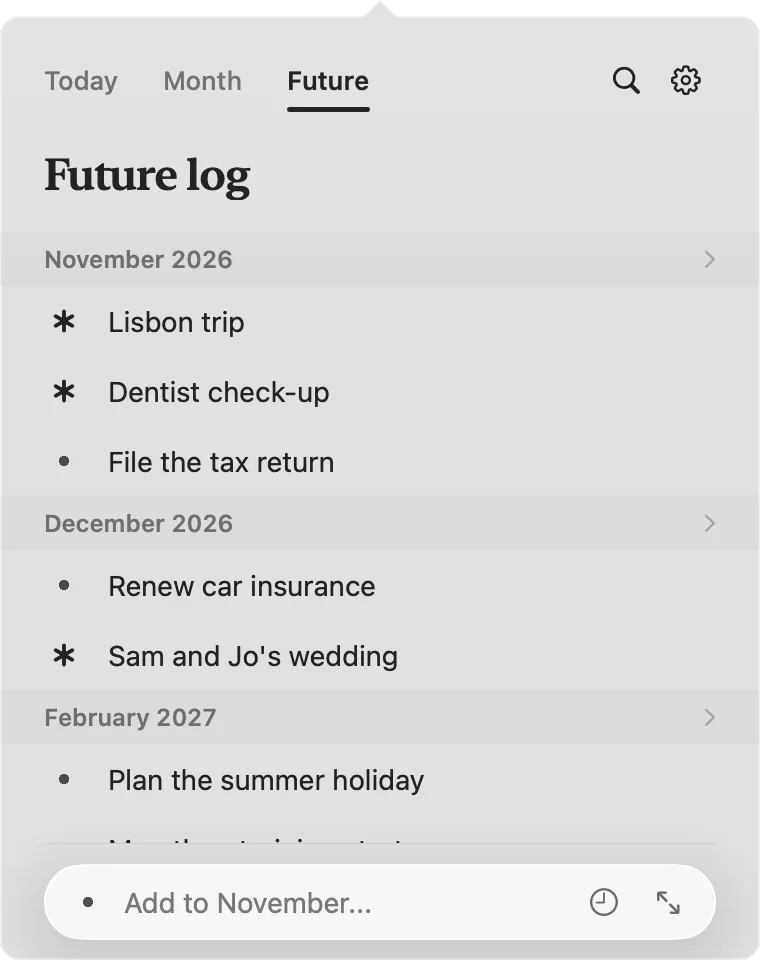
FutureAdd to a future month straight from the menu bar.


Everywhere
One log, wherever you are.
Write it on your phone, tick it off at your desk. iCloud keeps every device on the same page.
iPhone
Tap to add, tap to finish, long-press for everything else. Quick actions and a widget put today one touch away.
iPad
The same log with room to breathe, for planning the month and reviewing the week.
Mac
A panel in the menu bar with a count of open tasks, quick capture from any app, and a shortcut for everything.
Questions
Good to know
Do I need an account?
No. DotLog works the moment you open it. If you use iCloud, your log syncs between your devices through your own iCloud account, with nothing extra to sign up for.
Does it work offline?
Yes. Everything is stored on your device first, so DotLog is just as quick on a plane. Changes sync the next time you are online.
I have never kept a bullet journal. Is that a problem?
Not at all. A dot is a task, an asterisk is an event, and a line is a note. A short tour shows you the rest the first time you open the app.
Which devices does it run on?
iPhone and iPad with iOS 26 or later, and Mac with macOS 26 or later.
Can anyone else see my log?
No. Your entries stay on your devices and in your private iCloud storage. We never see them. The privacy policy has the detail.
Start today.
Your first entry takes about two seconds.
For iPhone and iPad with iOS 26, and Mac with macOS 26.